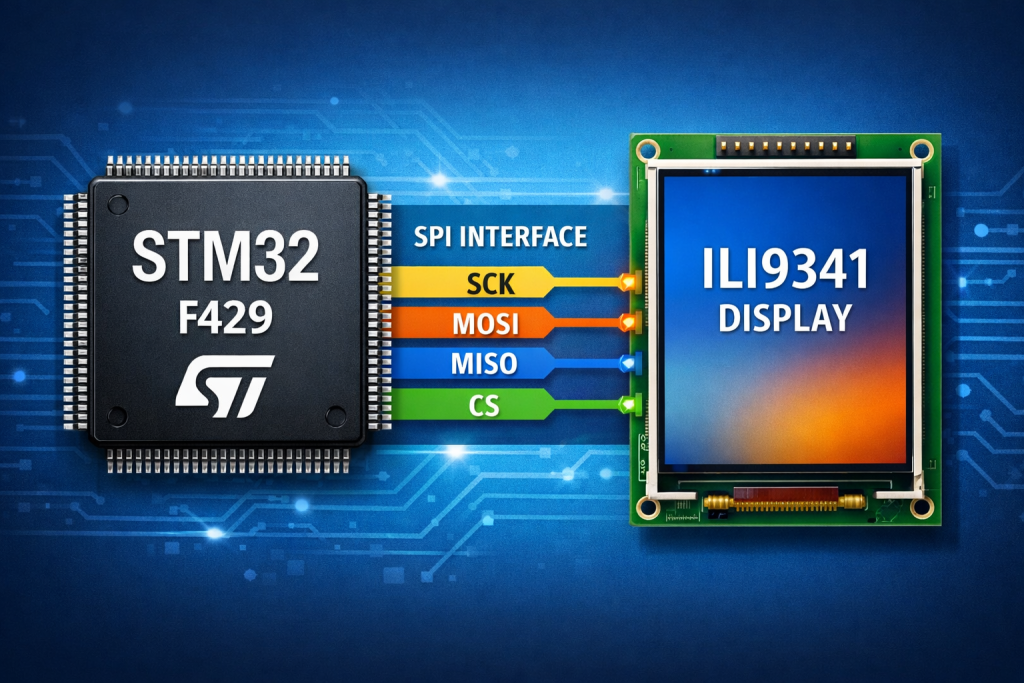
Part 3 focuses on displaying images on the ILI9341 by transferring pre-formatted pixel data from the STM32 to the display’s GRAM. It explains how image data is structured, converted to the appropriate color format, and efficiently written to the screen using the address window mechanism.
In this guide, we shall cover the following:
- Header file modification.
- Source file modification.
- Image code.
- Main code.
- Results.
1. Header File Modification:
Open ILI9341.h and declare the following function:
void Draw_Bitmap(uint16_t Xstart, uint16_t Ystart, uint16_t Xend, uint16_t Yend, const uint8_t *Image);
The function prototype
void ILI9341_Draw_Bitmap(uint16_t Xstart, uint16_t Ystart,
                         uint16_t Xend, uint16_t Yend,
                         const uint8_t *Image);
defines a routine that draws a bitmap image on a display controlled by the ILI9341. The prototype specifies the function name, return type, and parameters, which together describe how the function is called and what data must be provided to render the image.
Return Type
void
This indicates that the function does not return any value. Its purpose is purely procedural—it sends pixel data to the display to render an image, but it does not produce a result that the caller needs to store.
Function Name
ILI9341_Draw_Bitmap
The name indicates that the function belongs to a driver or library for the ILI9341 display controller and that its purpose is to draw a bitmap image on the screen.
Parameters
1. uint16_t Xstart
Represents the starting X coordinate (horizontal position) on the display where the bitmap will begin.
Since the display resolution is relatively small (e.g., 240×320), a 16-bit integer is more than sufficient to store the coordinate value.
2. uint16_t Ystart
Represents the starting Y coordinate (vertical position) where the bitmap will begin.
Together, Xstart and Ystart define the top-left corner of the image on the display.
3. uint16_t Xend
Specifies the ending X coordinate of the image area. This determines how far the image extends horizontally.
4. uint16_t Yend
Specifies the ending Y coordinate of the image area, determining the vertical extent of the image.
The four parameters (Xstart, Ystart, Xend, Yend) collectively define a rectangular region on the display where the bitmap will be rendered.
5. const uint8_t *Image
This is a pointer to the bitmap image data stored in memory.
Key aspects of this parameter:
uint8_t*indicates that the image data is stored as a byte array.- The pointer allows the function to sequentially read pixel data from memory.
- The
constqualifier ensures the image data cannot be modified inside the function, which is important when the image is stored in flash memory or in a constant array.
Typically, the image data is arranged as a stream of pixel values (for example RGB565 format), which the function later sends to the display through SPI.
Hence, the updated header file as follows:
#ifndef INC_ILI9341_H_
#define INC_ILI9341_H_

#include "main.h"

#include "spi.h"

typedef enum {
	ROTATE_0,
	ROTATE_90,
	ROTATE_180,
	ROTATE_270
} LCD_Horizontal_t;

void ILI9341_Init(LCD_Horizontal_t rot);

void ILI9341_WritePixel(uint16_t x, uint16_t y, uint16_t color);

void ILI9341_Draw_Bitmap(uint16_t Xstart, uint16_t Ystart, uint16_t Xend, uint16_t Yend, const uint8_t *Image);

#endif
2. Source File Modification:
Open ILI9341.c file.
Add the following function:
void ILI9341_Draw_Bitmap(uint16_t Xstart, uint16_t Ystart, uint16_t Xend, uint16_t Yend, const uint8_t *Image)
Within the function, calculate the width and height of the image as follows:
uint16_t width  = Xend - Xstart;
uint16_t height = Yend - Ystart;
Next, declare an index variable to keep track of the data in the array as follows:
uint32_t idx = 0;
An array with two elements to represent the pixel data as follows:
uint8_t pixel[2];
Next, set the address window as follows:
ILI9341_SetWindow(Xstart,Ystart,Xend-1,Yend-1);
Send the command to draw directly to the GRAM as follows:
WriteCommand(0x2c);
This will let you stream the pixel data in one go rather than draw it pixel by pixel.
Next, set the display in data mode and enable it as follows:
CS_Select();

DC_HIGH();
Transfer image data as follows:
for (uint16_t y = 0; y < height; y++)
		{
			for (uint16_t x = 0; x < width; x++)
			{
				pixel[0] = Image[idx++];  // High byte
				pixel[1] = Image[idx++];  // Low byte

				HAL_SPI_Transmit(&hspi5, pixel, 2, HAL_MAX_DELAY);
			}
		}
Deselect the display as follows:
CS_Deselect();
Here is the detailed explanation:
The function ILI9341_Draw_Bitmap() displays an image on the screen controlled by the ILI9341 by sending pixel data through SPI.
1. Calculate Image Size
uint16_t width  = Xend - Xstart;
uint16_t height = Yend - Ystart;
The function first calculates the width and height of the image using the start and end coordinates.
2. Prepare Variables
uint32_t idx = 0;
uint8_t pixel[2];
idxkeeps track of the current position in the image array.pixel[2]stores two bytes for each pixel (commonly RGB565 format).
3. Define Display Drawing Area
ILI9341_SetWindow(Xstart,Ystart,Xend-1,Yend-1);
This sets the drawing window on the display. All incoming pixel data will be written inside this rectangular area.
4. Send Memory Write Command
WriteCommand(0x2c);
Command 0x2C tells the display controller to start receiving pixel data for writing into its internal GRAM.
5. Enable SPI Data Transfer
CS_Select();
DC_HIGH();
CS_Select()activates the display SPI chip select.DC_HIGH()indicates that the following bytes are data (pixels) rather than commands.
6. Send Pixel Data
for (uint16_t y = 0; y < height; y++)
{
    for (uint16_t x = 0; x < width; x++)
Two nested loops scan the image row by row.
Inside the loop:
pixel[0] = Image[idx++];  // High byte
pixel[1] = Image[idx++];  // Low byte
Each pixel is read from the image array two bytes at a time.
HAL_SPI_Transmit(&hspi5, pixel, 2, HAL_MAX_DELAY);
The pixel is then sent to the display through SPI.
7. Finish Communication
CS_Deselect();
Finally, the SPI communication with the display is closed.
3. Image code:
Create new header and source file with name of image_240x320_rgb565.h and image_240x320_rgb565.c respectively.
In image_240x320_rgb565 header file:
#ifndef INC_IMAGE_240X320_RGB565_H_
#define INC_IMAGE_240X320_RGB565_H_

#include "stdint.h"

extern const uint8_t image_240x320[240*320*2];

#endif
For the source file, you can download from the end of the guide.
4. Main Code:
In main.c, include the image header file:
#include "image_240x320_rgb565.h"
After the display initialization, draw the image as follows:
ILI9341_Draw_Bitmap(0, 0, 240, 320, image_240x320);
Make sure that while 1 loop is empty.
Thats all.
Save the project, build it and run it on your board as following:

5. Results:
You should get the following:

You may download the entire project from here.
Happy coding 😉

Add Comment