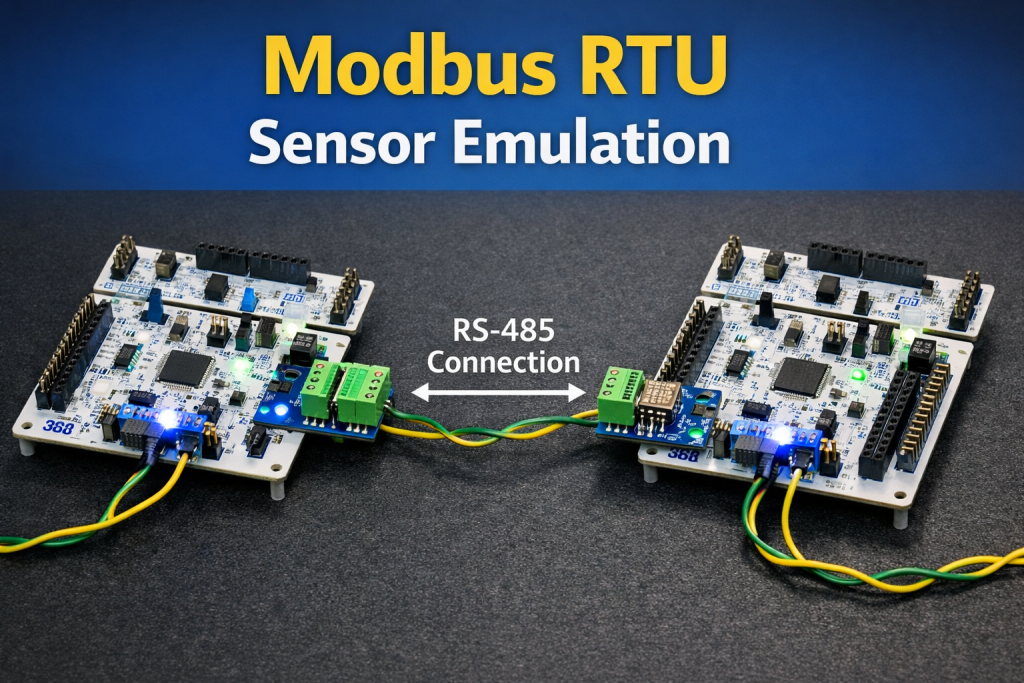
Part 5 focuses on implementing address filtering so that the Modbus RTU slave responds only to requests directed to its assigned slave address. This ensures that in a multi-device RS-485 network, each slave processes and responds only to frames that match its address while ignoring all other traffic on the bus.
In this guide, we shall cover the following:
- Slave firmware modification.
- Master firmware modification.
- Results.
1. Slave Firmware Modification:
Open the slave project.
In HAL_UARTEx_RxEventCallback function, we shall modify it as follows:
void HAL_UARTEx_RxEventCallback(UART_HandleTypeDef *huart, uint16_t Size)

{	if(huart->Instance==USART1)
	{
		if(rs485_buffer[0]==address)
		{
			if(rs485_buffer[1]==Read)
			{
				modbus_receive(rs485_buffer,&modbusFrame);

				newData=1;
			}
			if(rs485_buffer[1]==Write)
			{
				//TODO
			}
		}


	}

	HAL_UARTEx_ReceiveToIdle_IT(&huart1, rs485_buffer, bufferSize);
}
This function is the UART receive event callback used by STM32 HAL when data is received using HAL_UARTEx_ReceiveToIdle_IT(). It is triggered when the UART detects an IDLE condition or when the receive buffer is filled, indicating that a Modbus frame has likely been completely received.
Inside the callback, the code first checks whether the interrupt was generated by USART1, which is the UART used for RS-485 communication. It then verifies that the slave address in the received frame (rs485_buffer[0]) matches the device’s configured address, ensuring the slave only processes frames intended for it. If the function code corresponds to a read request, the received buffer is passed to modbus_receive() to extract fields such as address, function code, register address, and data count, and a flag newData is set to indicate that a valid request is ready for processing. A placeholder is left for handling write requests.
Finally, the function calls HAL_UARTEx_ReceiveToIdle_IT() again to restart the UART reception in interrupt mode, ensuring the system continues listening for the next Modbus frame on the RS-485 bus.
Also, in user code begin PV, declare the following defines:
#define address 0x11

#define Read 0x03

#define Write 0x04
Next, in user code begin 3 in while 1 loop:
if(newData==1)
	  {
				  uint8_t data[2];
				  data[0]=random()%255;
				  data[1]=random()%255;
				  modbus_slave_transmit(modbusFrame.Slave_Address,modbusFrame.Function_Code,2,data);
				  newData=0;
	  }
This code block checks whether a new valid Modbus request has been received and parsed. The flag newData is set to 1earlier in the UART receive callback after a frame passes the CRC check and its fields are extracted.
When newData equals 1, the code generates two bytes of simulated data using random() % 255, representing sensor values to be returned to the Modbus master. These bytes are placed in the data array and sent back using modbus_slave_transmit(), which builds and transmits the Modbus response frame using the previously parsed slave address and function code. After the response is sent, newData is cleared to 0 so the system waits for the next incoming request.
That all for the slave firmware.
Save, build and run the project as follows:

2. Master Firmware Modification:
Open master project.
In user code begin 3 in main.c file:
DataFrame.Slave_Address=0x11;
DataFrame.Function_Code=0x03;
DataFrame.Register_Address=0x01;
DataFrame.Number_of_Data=0x02;

Modbus_ReadRequest(&DataFrame);

HAL_Delay(100);

DataFrame.Slave_Address=0x17;
DataFrame.Function_Code=0x03;
DataFrame.Register_Address=0x01;
DataFrame.Number_of_Data=0x02;

Modbus_ReadRequest(&DataFrame);

HAL_Delay(100);
By changing the address from 0x11 to 0x17 each time, the slave shall not response when master request data from 0x17 address.
Thats all for the master firmware.
Save, build and run the project as follows:
3. Results:
By launching a debug session for the master project, you can see that the variable are updating each 200ms.
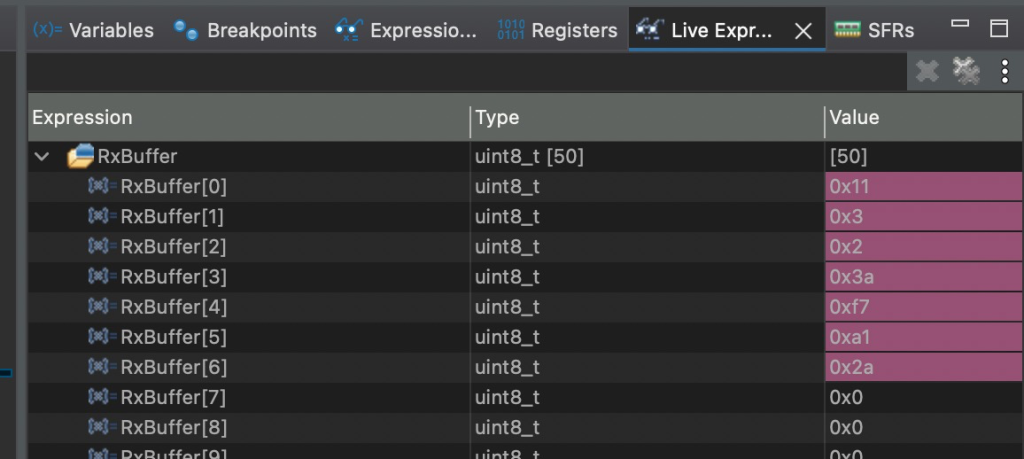
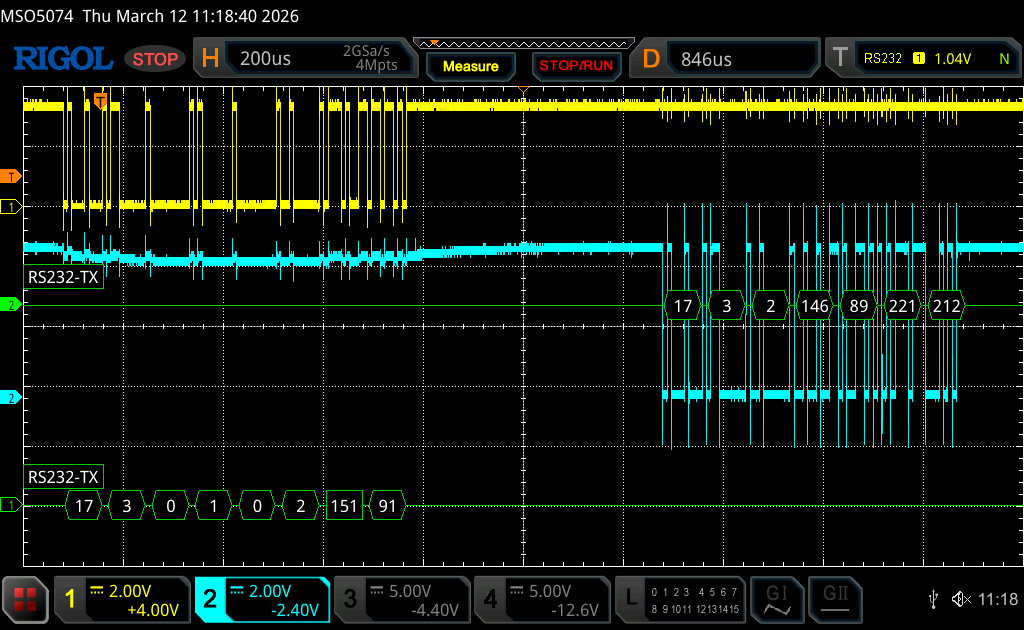
Here when master request data from address 0x11:
When master request data from 0x17:
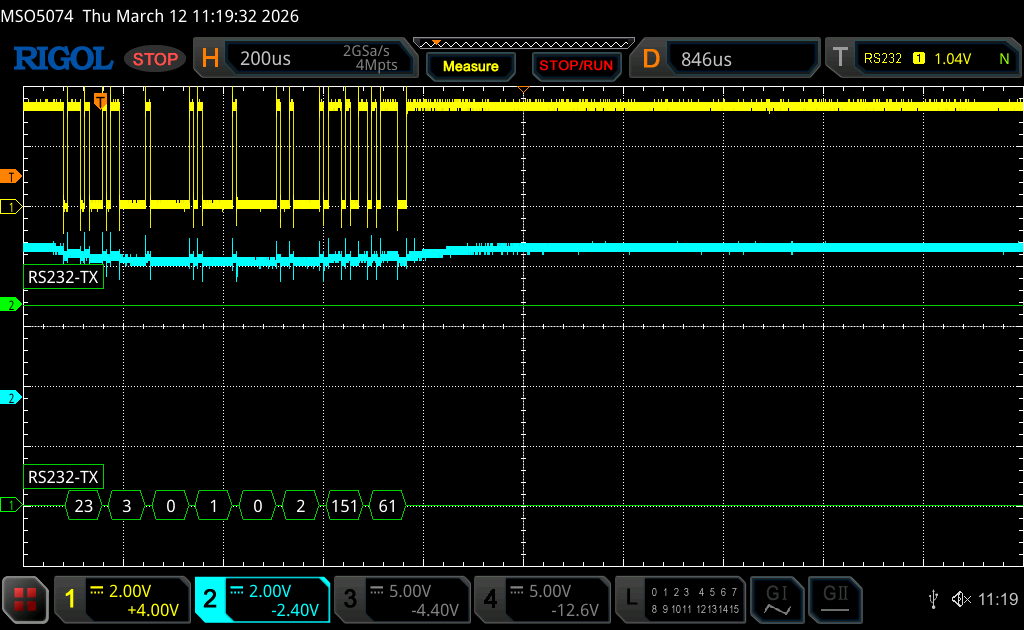
As you can see, the slave send the data only when master sends the correct address.
Next, we shall add the write capabilities to the slave to store the configuration data send by the master.
Stay tuned.
Happy coding 😉

Add Comment