In this seventh part of the guide, we implement Mongoose OTA (Over-The-Air) firmware update functionality to allow the STM32 to receive and install new firmware remotely through the network. This enables firmware upgrades without requiring STM32CubeIDE, a debugger, or physical access to the device, making deployment and maintenance significantly more efficient.
In this guide, we shall cover the following:
- Firmware Development.
1. Firmware Development:
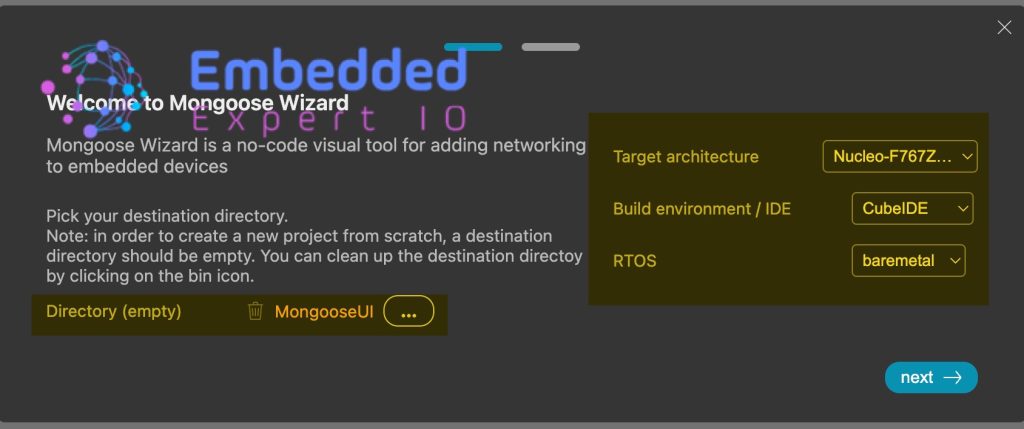
First, head to this website called mongoose wizard from here.
Next, select the directory and make sure it is empty.
Also, set the target architecture to be STM32 (I’ve selected F767 Nucleo), IDE to STM32CubeIDE and bare metal. We are not interested to use RTOS in this guide.
Click on next
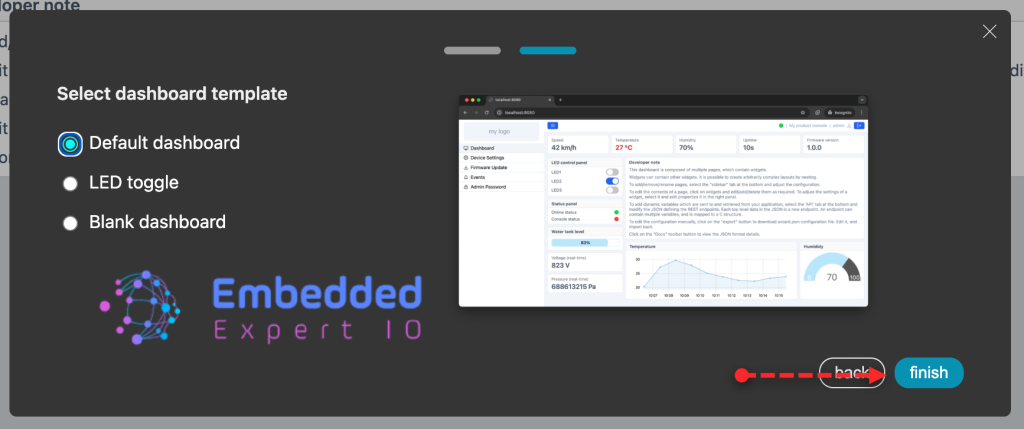
Next, select Default dashboard as follows:
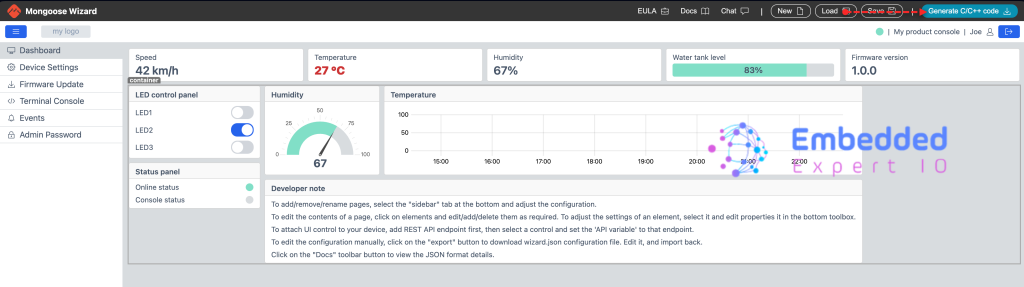
The default dashboard shall be loaded.
Click on Generate C/C++ code as follows:
Next take a copy of the older project.
Open the generated project and copy the mongoose to the driver folder as follows:
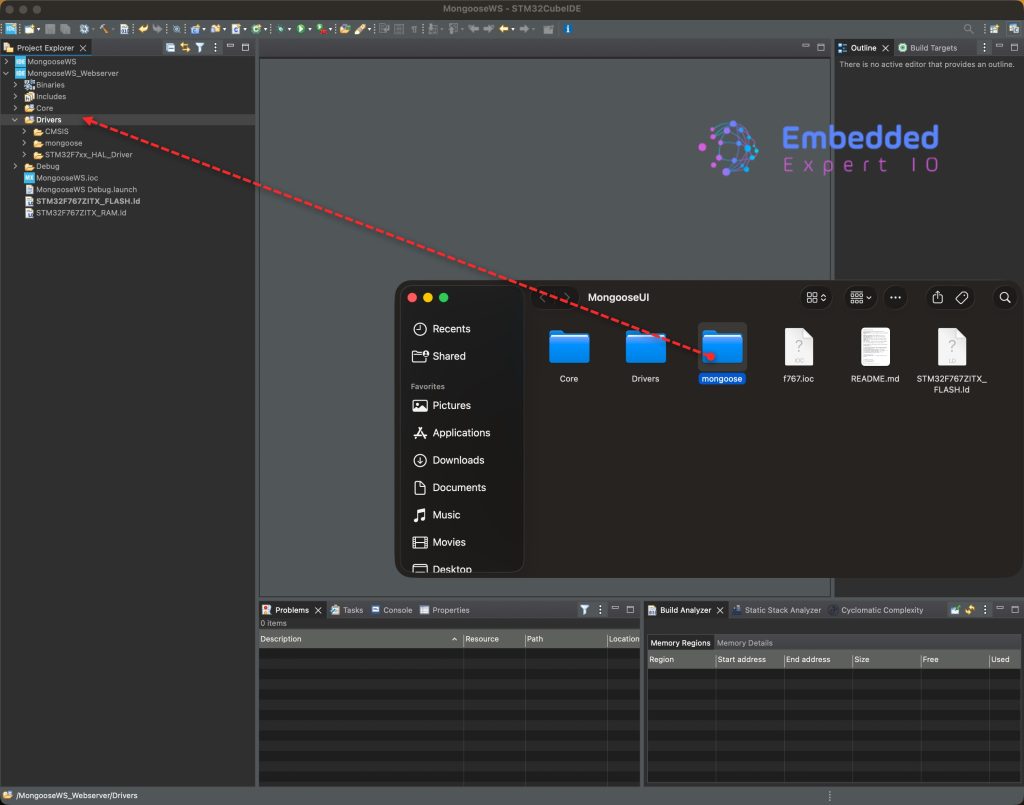
Save, build and run the project as follows:

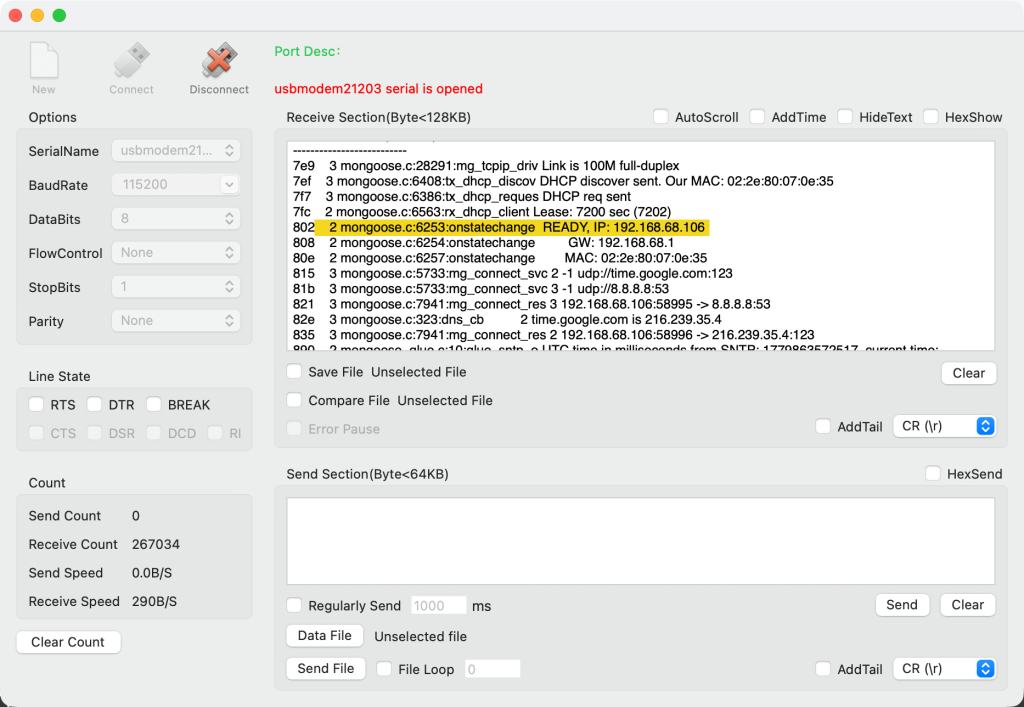
Open your favourite terminal application and you should get the IP address as follows:
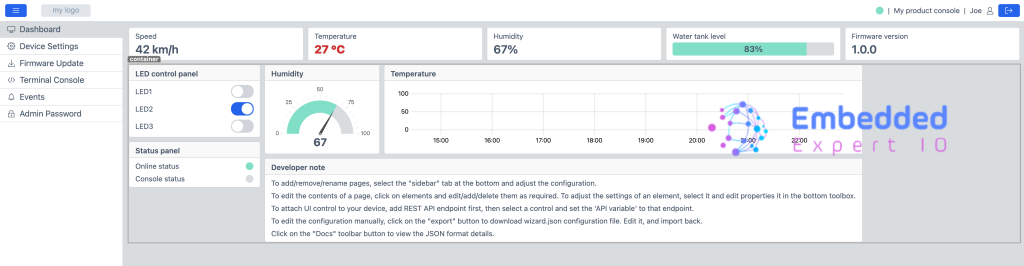
Open the browser and it will ask for user name and password, which is admin:admin
You should get the following:
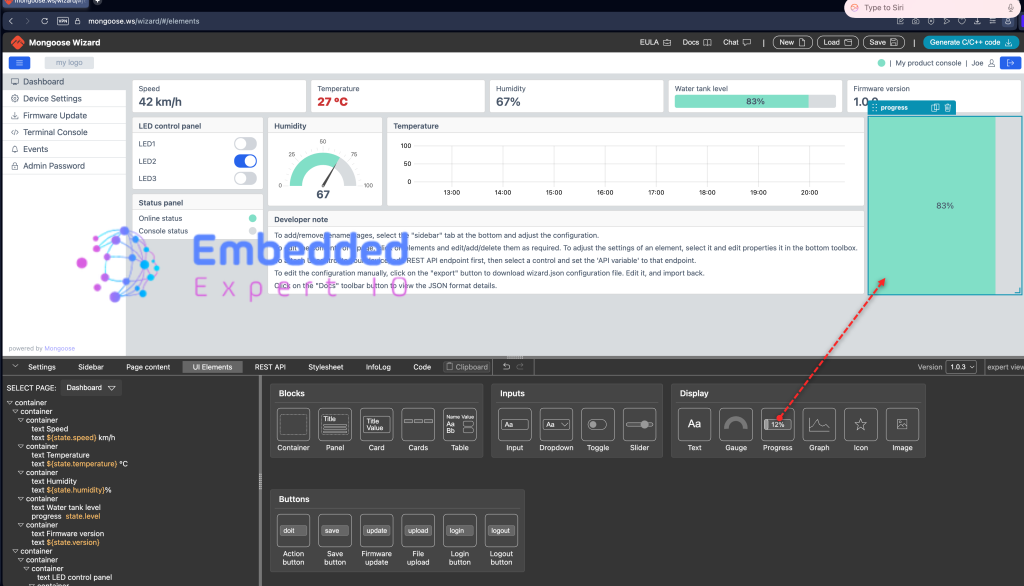
Next, from mongoose wizard, add any widget you want, in this case, I’ve added progress bar as follows:
Generate the code again and copy the project to STM32CubeIDE:
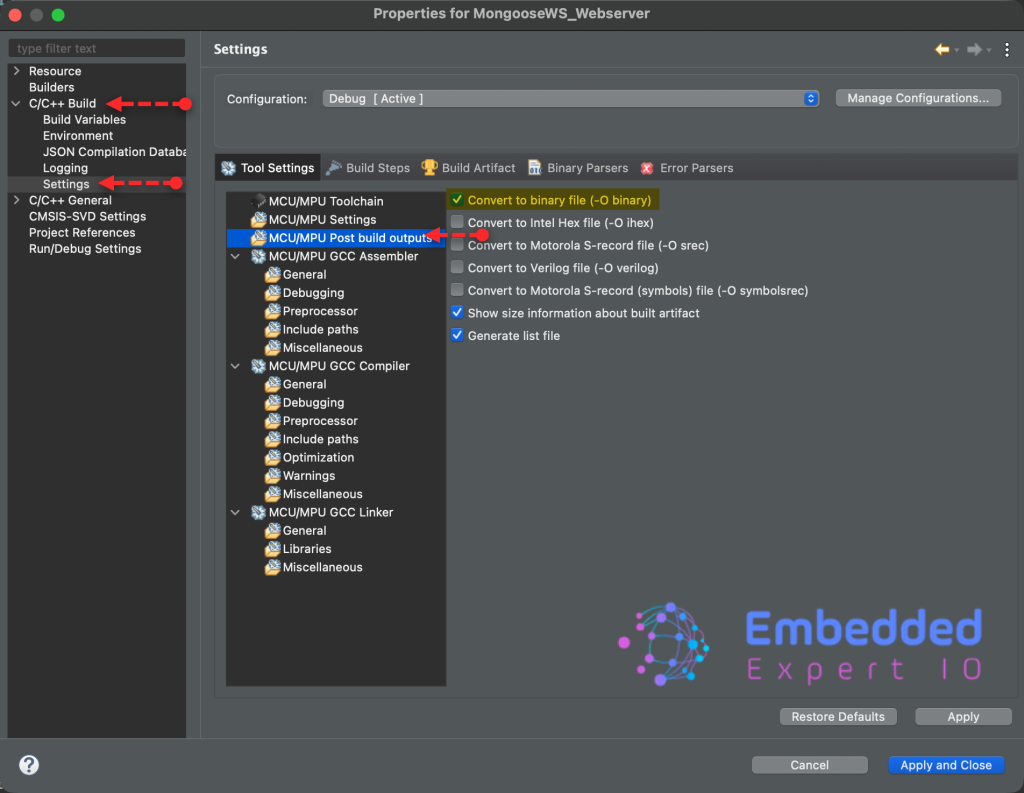
Next, right click on the project and click on properties.
Go to C/C++ Build, settings/ MCU/MPU build outputs, enable convert to binary file as follows:
Next, build the project only as follows:

Next, from webpage, select Firmware Update and select the bin file as follows:
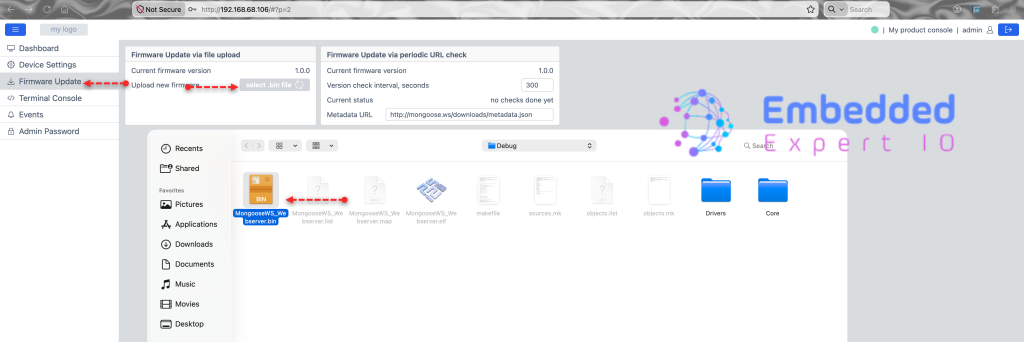
This will update the firmware. Give it a little bit of time.
After a while, enter the IP address again and you should get the updated web UI as follows:
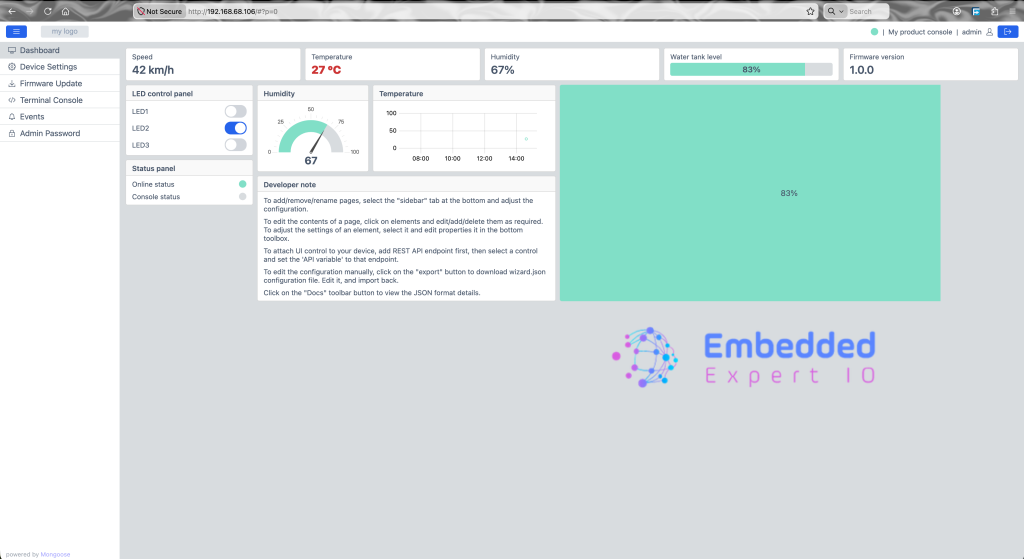
We have successfully implemented OTA.
Happy coding 😉

Add Comment